Description
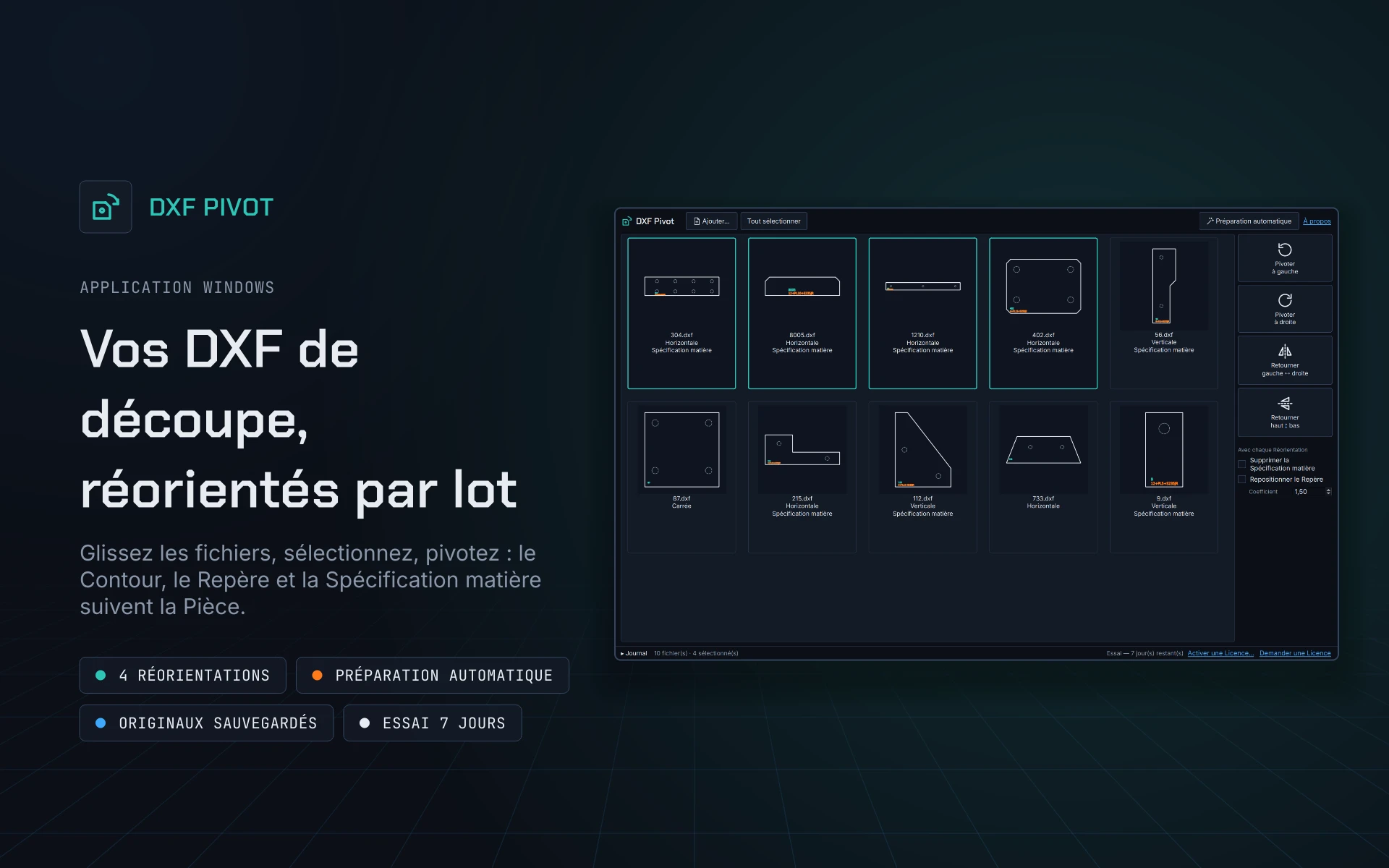
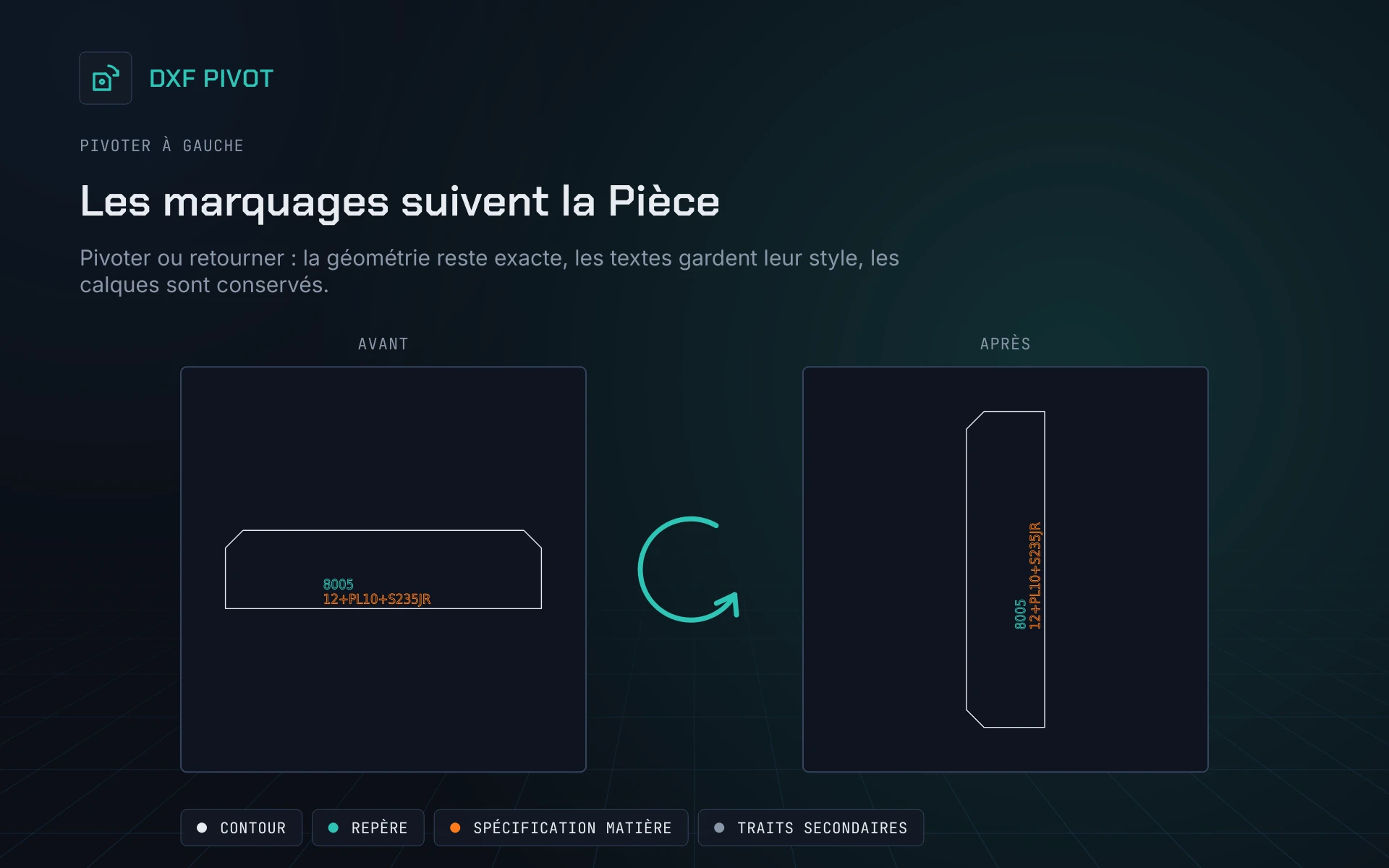
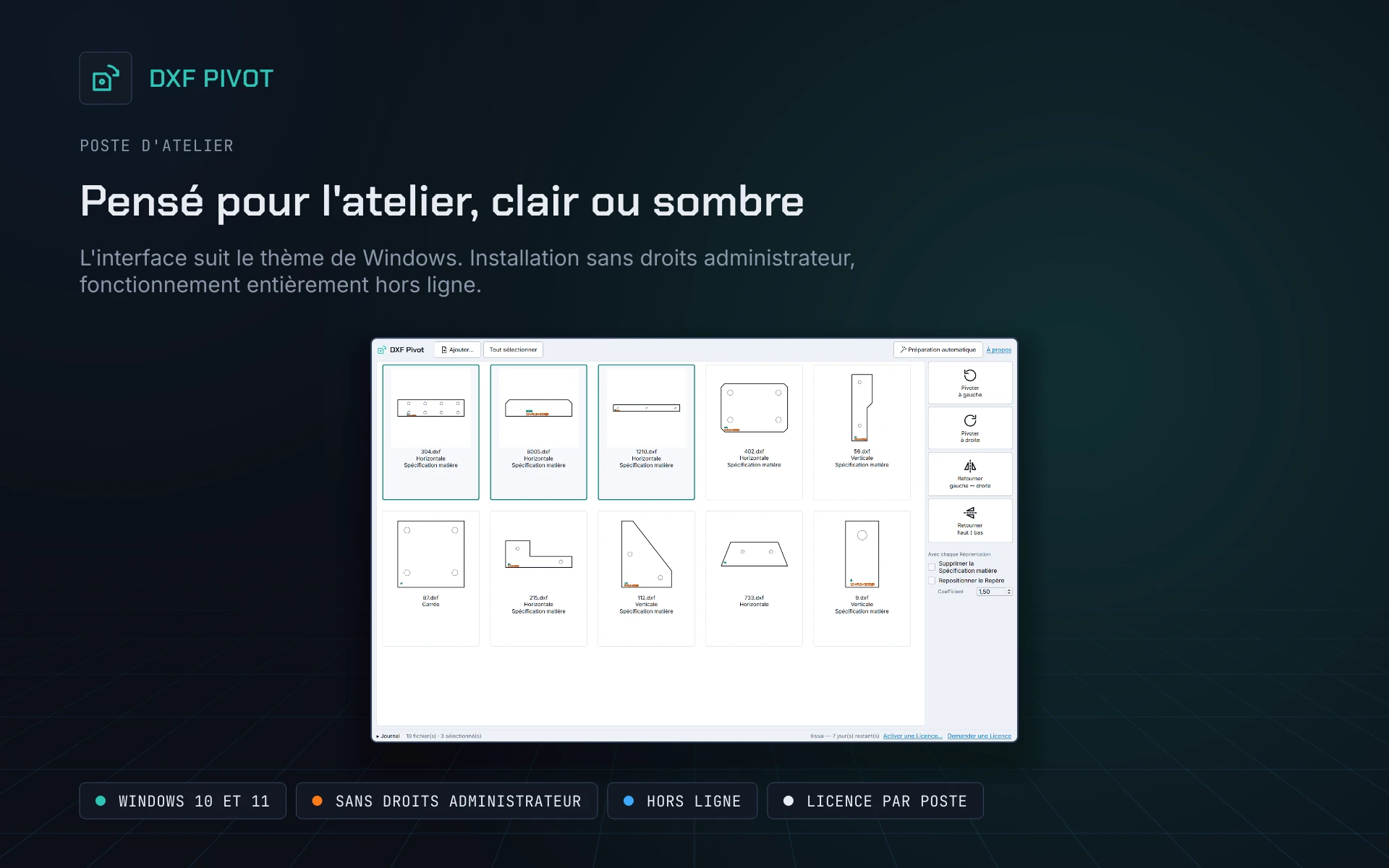
DXF Pivot reorients whole batches of sheet-metal cutting DXF files in a few clicks: rotate right, rotate left, flip left ↔ right, flip top ↕ bottom. Drop the files on the grid, select them, pick the reorientation: each part turns with its outline, its part number and its material label.
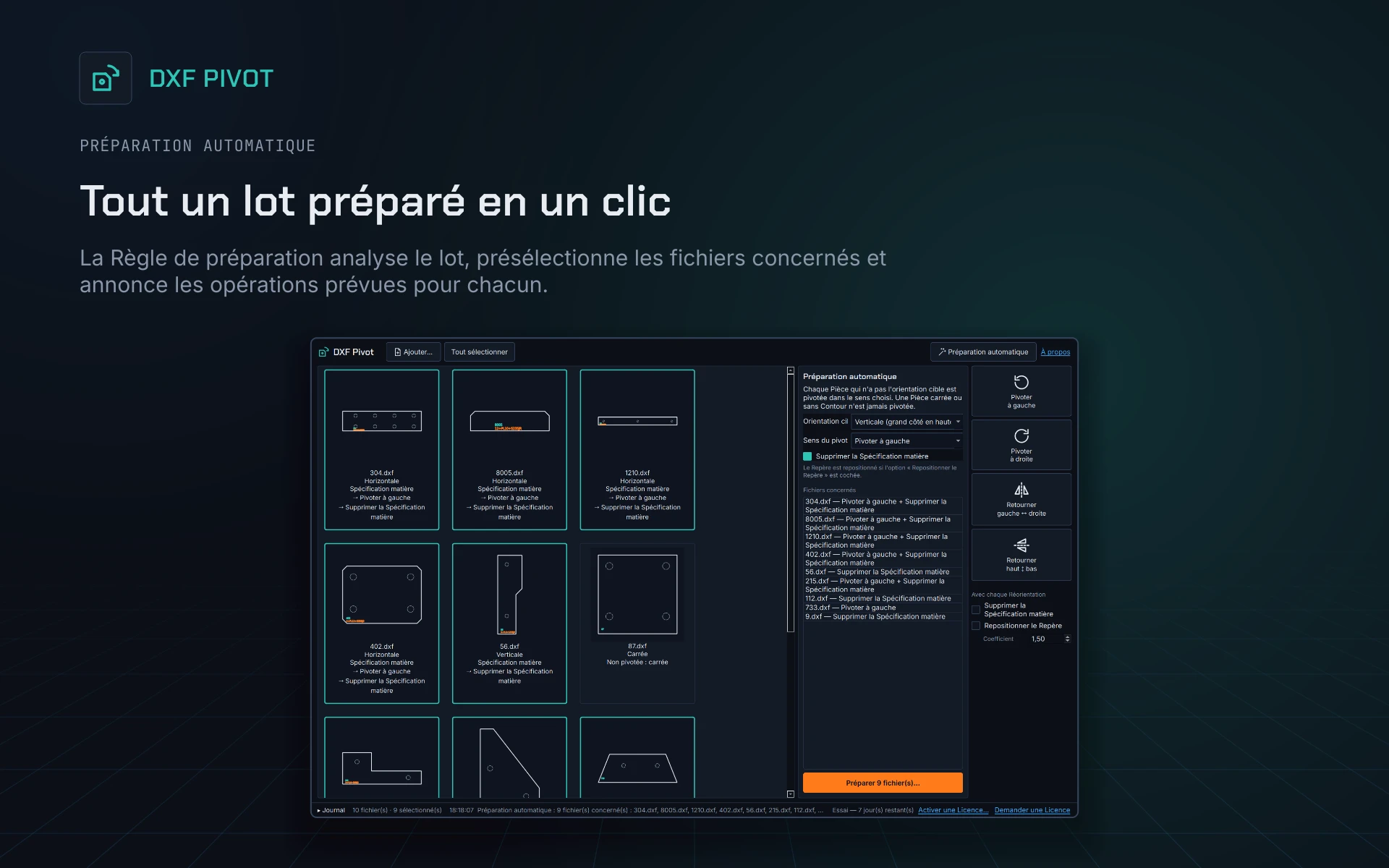
Automatic preparation handles a whole batch in one click. Its preparation rule, saved on the PC, sets the target orientation of the part (portrait or landscape), the rotation direction and whether to remove the material label. DXF Pivot analyses the batch, preselects the files that need work and shows the planned operations for each one; the operator adjusts the selection, approves, then gets a file-by-file report. A square part, or one without an outline, is never rotated.
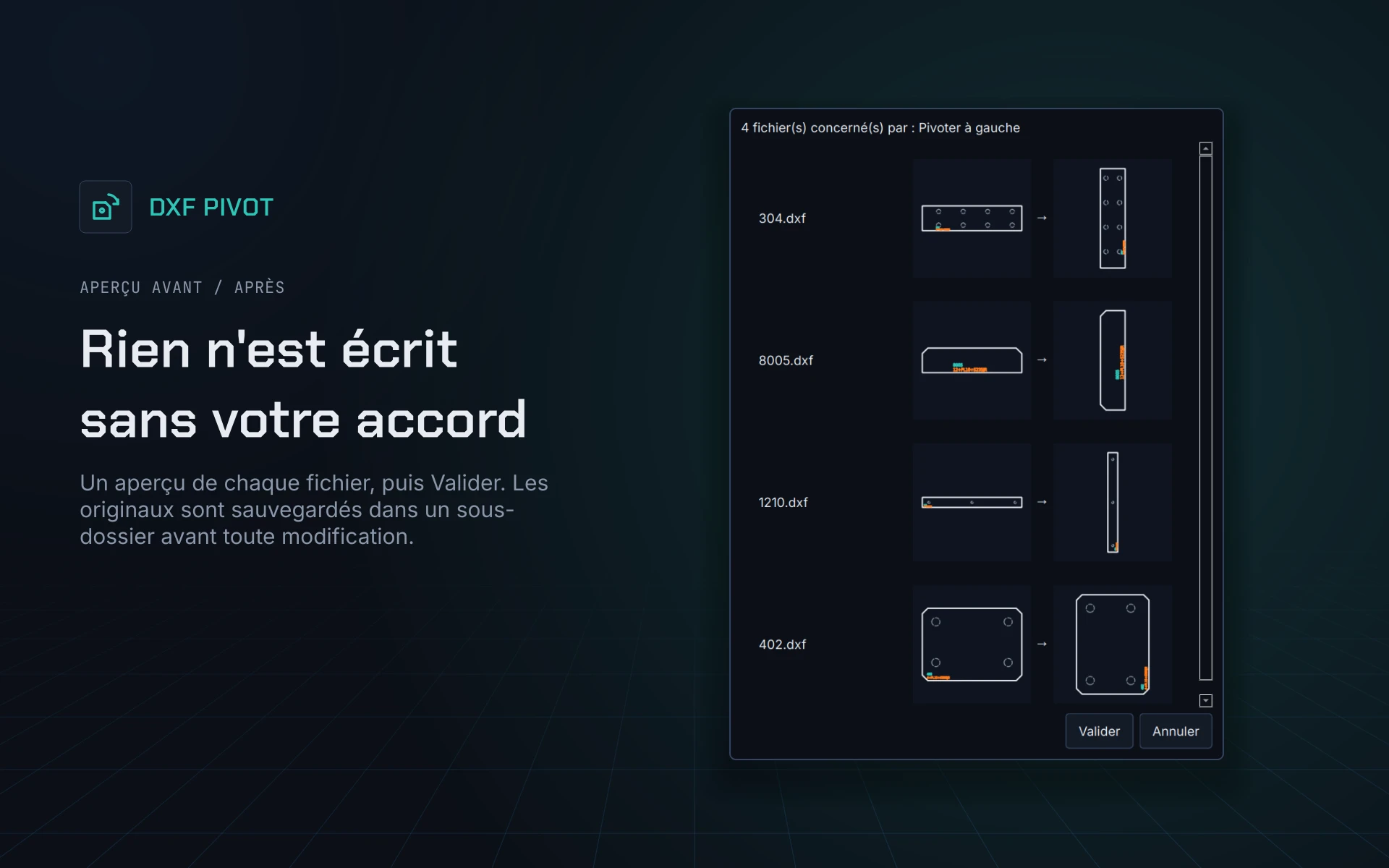
Nothing is written without approval: a before / after preview shows every file, and originals are automatically backed up to a subfolder before any change. Output files follow the conventions of the original file: layers, text styles and text rotation. With each reorientation, DXF Pivot can also remove the material label or reposition the part number.
Built for the shop-floor PC: readable thumbnails where the part number and material label stand out in colour, full-screen preview on double-click, light or dark theme following Windows. It installs without admin rights, with no Python or other software to add, and works entirely offline. The interface is in French.
7-day trial with full access, starting at first launch. After that, the licence is a file issued directly by Back to the Feature for your PC: the « Demander une Licence » (request a licence) button copies the machine fingerprint and opens the contact form. No online account, no connection required.